Link Headers for AI Agents: Why HTTP Discovery Matters

Direct answer
Use HTTP Link headers when you want agents or validators to discover machine-readable resources before they parse a full page. In practice, that usually means your homepage, a developer or docs hub, or a well-known machine endpoint rather than every article URL. Use /.well-known/api-catalog only when the catalog lists real APIs.
They are useful for discovery. They are not a Google ranking requirement, not a substitute for HTML links or sitemaps, and not a permission control for crawlers.
Most SEO discovery still happens in HTML: links, canonicals, hreflang, schema, navigation, and sitemaps. AI agents add another place to look: the HTTP response.
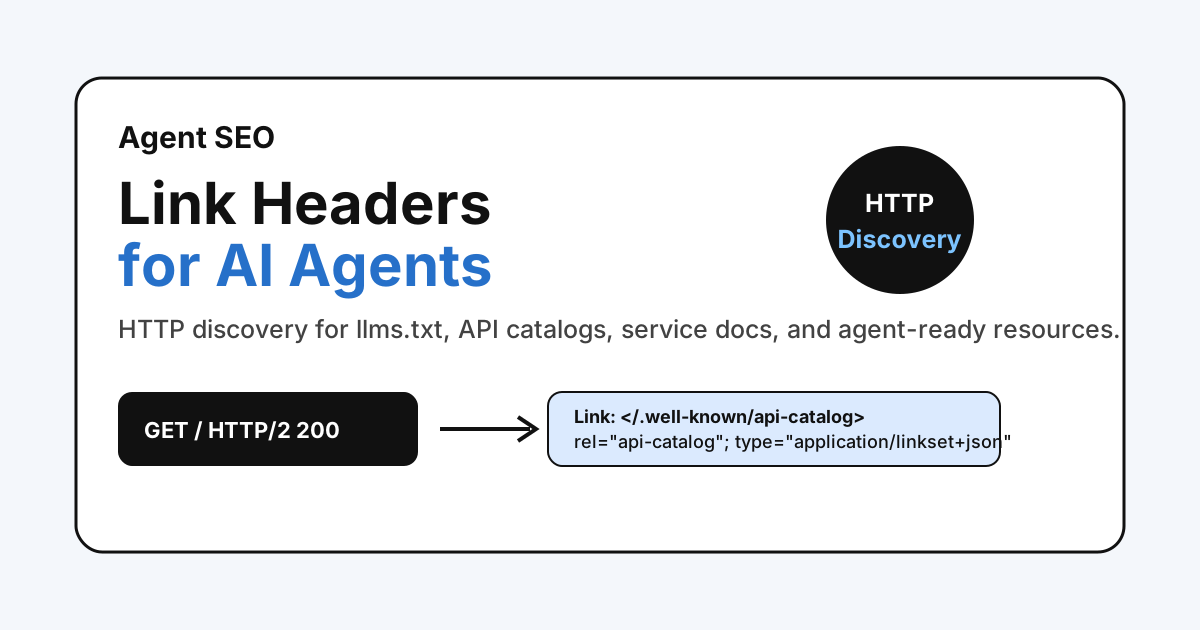
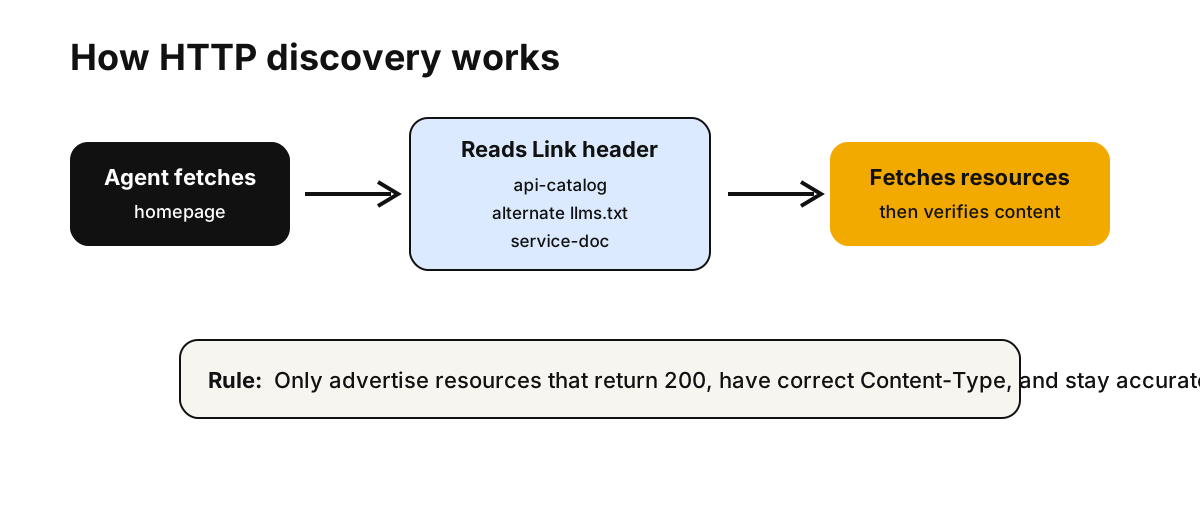
Before an agent parses your full HTML page, it can inspect response headers. A useful Link header can point to resources such as llms.txt, an API catalog, service documentation, or an agent-facing audit page.
That is why Link headers are becoming a practical Agent SEO topic. They are not a ranking trick. They are a machine-readable discovery layer.
This article is the HTTP discovery spoke in the broader Agent SEO audit cluster. If you need the measurement layer first, start with the AI Search Visibility Scorecard.
Production evidence and the audited source
On August 10, 2026, Fennec’s production homepage returned a real discovery header:
HTTP/2 200
content-type: text/html; charset=utf-8
link: </.well-known/api-catalog>; rel="api-catalog"; type="application/linkset+json",
      </llms.txt>; rel="alternate"; type="text/plain"; title="FennecSEO llms.txt",
      </llms-full.txt>; rel="service-doc"; type="text/plain"; title="FennecSEO full LLM-readable export",
      </audit/agent-seo/>; rel="service-doc"; type="text/html"; title="Agent SEO audit"
The Chinese homepage also returned a localized variant with /zh/llms.txt, /zh/llms-full.txt, and /zh/audit/agent-seo/.
The article URL itself does not return a Link header, which is intentional. This is a useful operational boundary: discovery headers belong on entry points and machine endpoints, not automatically on every blog post.
That August 10 response is historical production evidence, not a standards-conforming template. Its catalog item entries were feeds, sitemaps, and LLM-readable files rather than APIs, while the homepage used alternate and service-doc outside their narrower context-dependent semantics.
The source audit completed on August 31, 2026 corrects those boundaries before a future release. The homepage now advertises only the API catalog. The catalog lists the three maintained POST endpoints behind Fennec’s canonical, robots.txt, and soft 404 checkers, and its own response links only to the catalog itself. llms.txt remains available through its conventional path instead of being forced into an inaccurate relation. This is a local source correction until an authorized release publishes it.
What A Link Header Does
The HTTP Link header lets a server describe typed relationships between the requested URL and another resource.
A simple example:
Link: </llms.txt>; rel="alternate"; type="text/plain"; title="FennecSEO llms.txt"
That says: this response has an alternate related resource at /llms.txt, served as text/plain.
Multiple links can appear in one header:
Link: </.well-known/api-catalog>; rel="api-catalog"; type="application/linkset+json",
      </llms.txt>; rel="alternate"; type="text/plain",
      </audit/agent-seo/>; rel="service-doc"; type="text/html"
For a browser user, this may be invisible. For an agent, crawler, validator, or API client, it can be a fast map of where to look next.
Why Agents Care
An agent trying to understand a website has several choices:
- Fetch the homepage.
- Parse the HTML.
- Follow navigation and internal links.
- Fetch sitemap and
robots.txt. - Look for
llms.txt, API docs, or well-known files. - Decide whether the site exposes any capabilities.
Link headers can shorten that path.
They are especially useful when a site has resources that are not obvious in visual navigation:
| Resource | Why an agent might care |
|---|---|
llms.txt | Curated site summary for AI readers |
llms-full.txt | Larger readable export or content map |
/.well-known/api-catalog | API discovery per RFC 9727 |
| Product or API docs | Service documentation for real capabilities |
| Agent SEO audit page | Human-readable explanation of supported agent signals |
| RSS feed | Fresh content discovery |
| Sitemap | Canonical URL discovery |
This does not replace HTML links or XML sitemaps. It adds one more structured discovery path.
What Link Headers Do Not Control
Three boundaries matter here:
- Google does not require Link headers, llms.txt, or special AI files to appear in Google Search AI features. Google says the usual SEO fundamentals still apply, and there are no extra technical requirements for AI Overviews or AI Mode.
- Link headers do not replace crawler policy. OpenAI documents OAI-SearchBot for search surfacing and GPTBot for model-training crawl policy in
robots.txt. - Link headers do not guarantee that a user-triggered agent will behave like an automatic crawler. OpenAI documents
ChatGPT-Userseparately for user-initiated actions and notes thatrobots.txtrules may not apply in the same way there.
So if your real question is “Should this content be crawlable?” or “Should it be used for training?”, solve that in robots.txt first. Use Link headers to help agents find the right resources once access policy is already clear.
Where This Fits In Agent Readiness
IsItAgentReady and similar agent-readiness tools check whether a site exposes obvious discovery signals.
The early layers are familiar:
robots.txt- XML sitemap
- Link headers
llms.txt- Content Signals
- Markdown content negotiation
The later layers become more product-specific:
- API catalog
- MCP Server Card
- Agent Skills index
- OAuth metadata
- A2A Agent Card
- WebMCP
For many content and SaaS marketing sites, Link headers are a sensible next step because they are small, visible to scanners, and do not require inventing an API or authentication flow that does not exist.
Practical Headers With Precise Relations
Start from the link context, then choose a relation. For an API service landing page, service-desc can identify its machine-readable description and service-doc can identify its human-oriented documentation:
Link: </openapi.json>; rel="service-desc"; type="application/json",
      </docs/api/>; rel="service-doc"; type="text/html"
For a specific article with a faithful Markdown representation, alternate describes a substitute representation of that article:
Link: </blog/example.md>; rel="alternate"; type="text/markdown"
If the publisher has real public APIs, it can add a separate catalog relation:
Link: </.well-known/api-catalog>; rel="api-catalog"; type="application/linkset+json"
There is no registered relation dedicated to llms.txt. Do not label it alternate unless it is genuinely a substitute representation of the response context, and do not label a content export service-doc unless it documents an actual service. HTML links and the conventional /llms.txt path remain clearer than forcing an imprecise relation.
The important rule is simple:
Only advertise resources you can keep accurate.
If llms.txt is stale, the header helps agents find stale information faster. If the API catalog points to dead docs, discovery becomes noise.
Fennec’s own implementation lives in public/_headers, which Astro copies into the build output. The audited source limits the api-catalog relation to /, /zh/, and /.well-known/api-catalog; article templates do not receive a discovery header.
Which Relations To Use
Use relation types that match the resource.
| Relation | Good use |
|---|---|
api-catalog | Points to a Linkset API catalog per RFC 9727 |
alternate | Points to an alternate representation such as llms.txt or Markdown |
describedby | Points to a resource that describes the current page or site |
service-doc | Points to documentation for a service or capability |
service-desc | Points to a machine-readable service description such as OpenAPI |
Do not overload one relation for everything. The more precise the relation, the easier it is for agents and validators to understand the site.
API Catalog Example
If you expose an API catalog, the resource should be real JSON with the right content type.
Example:
{
  "linkset": [
    {
      "anchor": "https://example.com/.well-known/api-catalog",
      "item": [
        {
          "href": "https://api.example.com/v1/audits",
          "type": "application/json",
          "title": "SEO Audit API"
        }
      ]
    },
    {
      "anchor": "https://api.example.com/v1/audits",
      "service-doc": [
        {
          "href": "https://developer.example.com/audits/",
          "type": "text/html",
          "title": "SEO Audit API documentation"
        }
      ]
    }
  ]
}
If the server returns application/octet-stream, some scanners may still fetch it, but the signal is weaker. Use application/linkset+json for an RFC 9727 API catalog.
How To Test It
Test the homepage first:
curl -I https://fennecseo.app/
curl -I https://fennecseo.app/zh/
Check for:
Linkheader exists- Each referenced URL returns
200 - Content types match the header
- URLs are absolute or root-relative and valid
- Localized resources use the right language path
- The resources are linked somewhere human-readable when appropriate
Then test the API catalog:
curl -I https://fennecseo.app/.well-known/api-catalog
curl https://fennecseo.app/.well-known/api-catalog
For Fennec, the expected response on August 10, 2026 was:
HTTP/2 200
content-type: application/linkset+json; profile="https://www.rfc-editor.org/info/rfc9727"; charset=utf-8
link: </.well-known/api-catalog>; rel="api-catalog"; type="application/linkset+json",
      </llms.txt>; rel="alternate"; type="text/plain",
      </audit/agent-seo/>; rel="service-doc"; type="text/html"
That tells you three useful things about the response layer:
- the site is advertising an API catalog relation;
- the endpoint declares the
application/linkset+jsonmedia type with an RFC 9727 profile; - the machine endpoint itself points back to related resources through
Linkheaders.
It does not prove the catalog body conforms. Fetch and inspect the JSON separately: RFC 9727 requires its item links to identify actual API endpoints. The August 10 body failed that requirement. The audited source replaces those entries with Fennec’s maintained canonical, robots.txt, and soft 404 checker APIs; production should be treated as unchanged until that source is released and the live response is verified.
Finally, compare the HTTP checks with your human-facing pages and agent-facing tools. A clean header is only useful if the linked resources are still accurate and maintained.
Use Bot Simulator when you also need to compare crawler and agent views of the page itself.
How This Supports AI Search Visibility
Link headers do not make weak content source-worthy.
They help with a narrower problem: machine discovery.
That matters when the rest of the page is already good:
- The page is crawlable
- The content is useful and specific
- The sitemap is clean
llms.txtis maintained- The site has real tools, docs, or machine-readable resources
- The team measures results in Search Console and logs
In the AI Search Visibility Scorecard, Link headers sit in the discovery layer. They are worth points only when the resources behind them are useful.
Common Mistakes
Avoid these:
- Adding Link headers that point to missing files
- Adding the same header everywhere, including article URLs that are not entry points
- Advertising an API catalog when no API or machine-readable resource exists
- Forgetting the generated deployment headers and only editing a local file
- Sending the wrong content type for
/.well-known/api-catalog - Using English-only resources for localized pages
- Treating Link headers as a substitute for
robots.txtpolicy for OAI-SearchBot or GPTBot - Treating Link headers as a replacement for HTML links, sitemap, or content quality
- Adding every emerging agent protocol just to improve a scanner score
The best Agent SEO work is boring in a good way: clear signals, accurate resources, testable behavior.
Next Action With Fennec
For a fast check:
- Run
curl -Ion your homepage. - Look for agent-useful
Linkrelations. - Fetch the referenced
llms.txt, API catalog, and service docs. - Validate the page in Agent SEO Audit.
- Use Technical SEO and Bot Simulator to confirm the page remains crawlable and consistent.
If the page has no measurement baseline yet, pair this with the AI Search Visibility Scorecard before treating it as a priority AI search asset.
Sources
- IETF RFC 8288: Web Linking
- IETF RFC 8631: Link Relation Types for Web Services
- IETF RFC 9727: The api-catalog Link Relation Type
- IETF RFC 9264: Linkset media types
- Google Search Central: AI optimization guide
- Google Search Central: AI features and your website
- OpenAI: Crawlers and user agents
Q&A
Do Link headers improve Google rankings?
No direct ranking benefit should be assumed. Link headers are discovery signals for machines and agents, not a shortcut around normal SEO fundamentals.
Which Link relations matter for Agent SEO?
Use api-catalog only for a catalog of real APIs. Use alternate or describedby for alternate representations and descriptive resources, and service-doc or service-desc for real service documentation and machine-readable service descriptions.
Should every page have many Link headers?
No. Use them on the homepage, important hubs, API documentation, and pages where machine-readable resources genuinely help agents.
Do Link headers control whether OpenAI can use a page?
No. Link headers are discovery hints, not permission controls. Use robots.txt for OAI-SearchBot and GPTBot policies; OpenAI documents ChatGPT-User separately as a user-triggered agent.
How do I test Link headers?
Run curl -I on the URL, inspect the Link header, fetch each referenced resource, and verify status code, content type, and freshness.