Noindex, Nosnippet, Max-Snippet, and X-Robots-Tag for AI Search

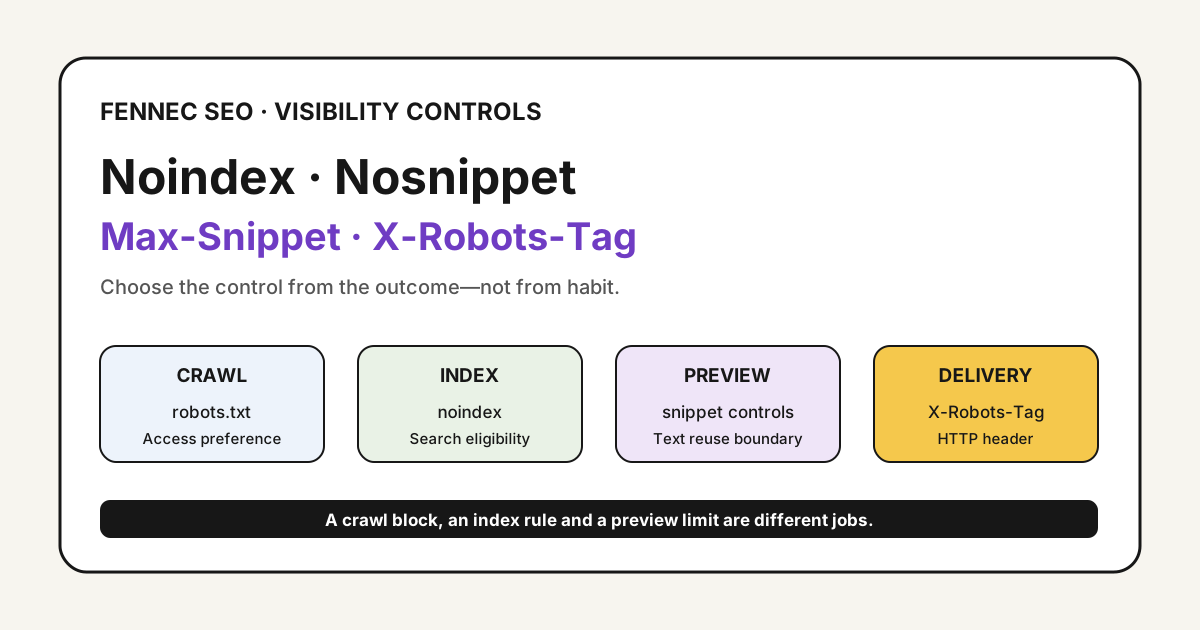
Teams often mix up three different jobs:
- crawl control
- index control
- snippet and preview control
That confusion gets expensive in the AI search era.
A site owner wants a page out of search, blocks it in robots.txt, and then adds noindex inside the page. Google may never see the noindex. Another team wants product pages eligible for search and AI citations, but ships nosnippet sitewide and suppresses the very text Google uses to understand the page.
The practical question is not “which tag is best?” The question is:
Which control matches the outcome you actually want?
This article focuses on page-level visibility controls for Google Search and Google AI features. For crawler-specific access rules, use the separate GPTBot vs OAI-SearchBot vs Googlebot guide. For broader agent policy, pair this with Content Signals and AI Bot Access, AI Overview, and the AI Search Visibility Scorecard.
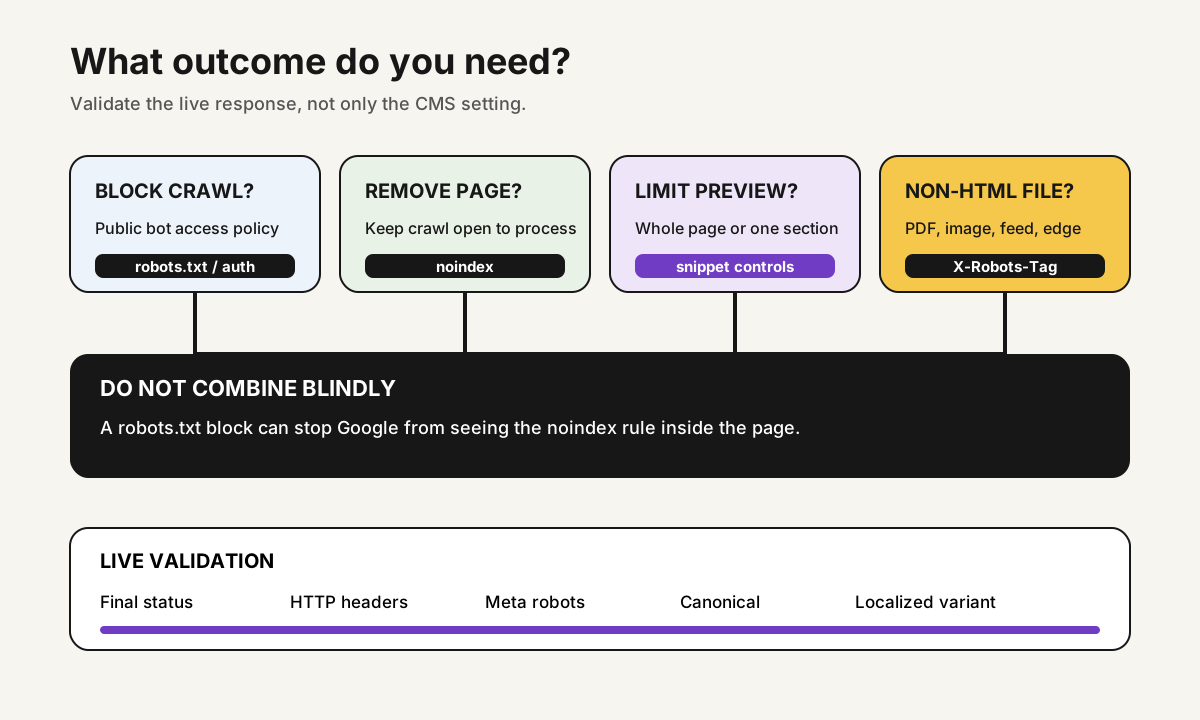
Start With The Outcome
Choose the control from the desired outcome, not from habit.
| Goal | Better control | Why |
|---|---|---|
| Keep a URL crawlable and indexable | No restrictive rule | Do not add controls you do not need |
| Remove a page from Google Search | noindex via meta robots or X-Robots-Tag | Google needs to crawl the page to process the rule |
| Keep page indexed but limit preview text | nosnippet, max-snippet, or data-nosnippet | Controls snippet and AI preview usage boundaries |
| Block crawling of private paths | robots.txt, auth, or both | Crawl access and search appearance are separate |
| Control non-HTML files like PDFs | X-Robots-Tag | Header-based rule works beyond HTML |
The key boundary is simple:
robots.txtis about crawl access for compliant bots.noindexis about index eligibility.- snippet controls are about how much content can be shown or reused in previews.
Those are related, but they are not interchangeable.
What Google Actually Supports For AI Features
Google’s current AI features documentation points site owners back to existing preview controls, not to a new AI-specific tag. That means the important controls are still:
noindexnosnippetdata-nosnippetmax-snippetmax-image-preview
Here is the practical split:
| Goal | Better control | What it does |
|---|---|---|
| Remove the page from Google Search features entirely | noindex | Removes eligibility after Googlebot can crawl and process the page |
| Prevent any text snippet from appearing | nosnippet | Stops Google from showing a text snippet |
| Cap how much text Google may show | max-snippet:[number] | Limits preview length |
| Hide only a specific section | data-nosnippet | Excludes text within specific span, div, or section elements |
| Control image preview size | max-image-preview | Limits image preview size, often relevant for article and Discover-style surfaces |
The mistake to avoid is using one control for the wrong job. nosnippet is not a deindexing control. noindex is not a surgical text-exclusion control. data-nosnippet is not a sitewide policy.
Meta Robots vs X-Robots-Tag
Both can express indexing and snippet rules, but they fit different operational cases.
| Control | Best for | Notes |
|---|---|---|
<meta name="robots" ...> | HTML pages you can edit in templates | Easy for content teams to inspect in source |
X-Robots-Tag header | PDFs, images, feeds, generated files, or edge/CDN rules | Useful when HTML head markup is unavailable or inconsistent |
HTML example:
<meta name="robots" content="noindex, max-snippet:0">
Header example:
X-Robots-Tag: noindex, nosnippet
Do not add both unless you know why. Conflicting implementations create audit noise and slow debugging.
What Each Snippet Control Actually Does
These directives solve different problems.
| Directive | Practical effect | Typical use |
|---|---|---|
noindex | Removes the page from Google’s index after processing | Thin duplicates, staging leaks, retired landing pages |
nosnippet | Prevents text snippets and limits preview reuse | Sensitive copy where preview display is not acceptable |
max-snippet | Caps the amount of text Google can use in previews | Pages that should stay searchable but use tighter preview boundaries |
data-nosnippet | Excludes only marked page sections from snippets | Hide phone numbers, licensed excerpts, gated copy intros, or repeated boilerplate |
data-nosnippet is often the most practical compromise. You do not need to suppress the entire page just because one block should not be quoted or previewed.
For example:
<p>Public summary that can appear in search.</p>
<div data-nosnippet>
  Internal member benefit details or reusable gated teaser text.
</div>
That is usually better than applying nosnippet to the whole document and losing all summary visibility.
Do Not Use robots.txt As A Search Removal Tool
This is the most common mistake.
If your goal is “remove this URL from Google results,” blocking the page in robots.txt is the wrong first move. Google’s documentation is explicit: for noindex to work, Google must be able to crawl the page and see the rule.
That creates a practical sequence:
- Keep the page crawlable long enough for Google to fetch it.
- Send
noindexvia HTML meta robots orX-Robots-Tag. - Verify the rule is really present on the live response.
- Only add stronger access restrictions later if your business case requires them.
If the content is truly private, use authentication or a proper permission wall instead of hoping crawler rules will behave like security.
Use Technical SEO, Bot Simulator, and Audit when you need to compare the live response, rendered output, and headers.
Where OpenAI’s Current Guidance Differs
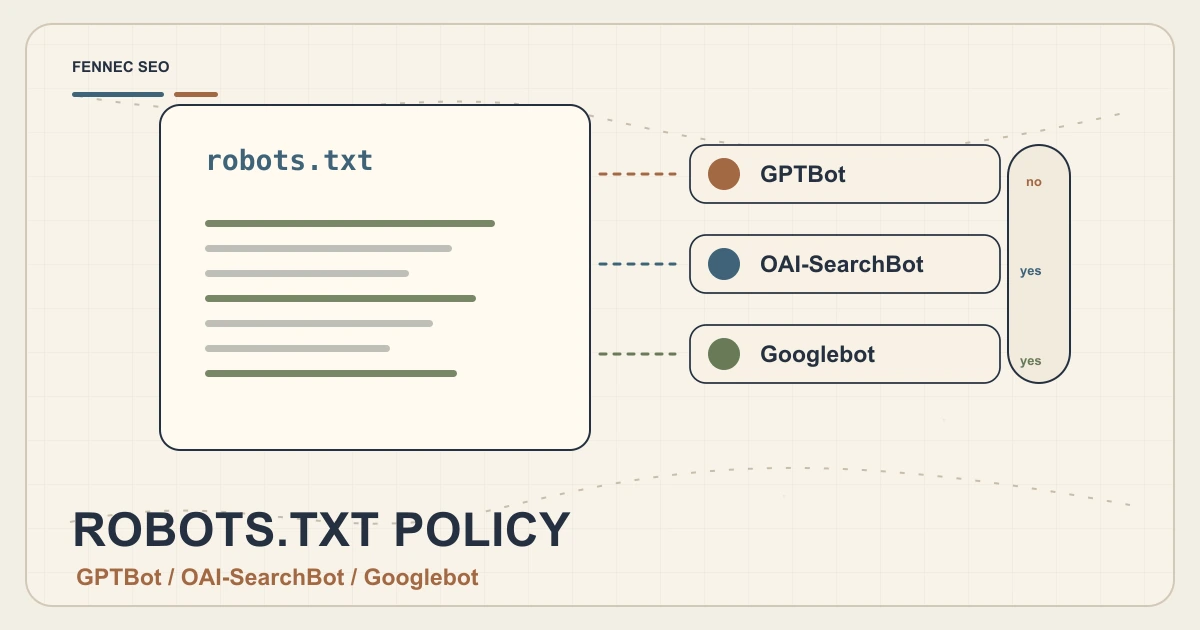
OpenAI’s current official crawler docs and publisher FAQ describe a different control surface:
- Allow or block
OAI-SearchBotfor ChatGPT search discovery - Allow or block
GPTBotfor model training access - Use
noindexif you do not want a page shown as a result, even if the URL is otherwise discovered
That is not the same thing as Google snippet governance.
A practical inference from the current official docs is:
- Google explicitly documents
nosnippet,data-nosnippet, andmax-snippetfor AI features in Search. - OpenAI explicitly documents
OAI-SearchBotaccess andnoindexfor search inclusion decisions.
So if your team asks, “Will max-snippet:80 also limit ChatGPT summaries?” the honest answer is: do not assume that from current OpenAI documentation.
Treat Google preview controls as Google controls unless another platform documents equivalent behavior. Keep your Google controls separate from your AI crawler policy.
One Important Structured Data Nuance
Google’s robots meta documentation includes an easy-to-miss detail:
max-snippetlimits text previews.- Structured data can still be used for rich results.
- Structured data remains usable even when it sits inside a
data-nosnippetelement.
That means data-nosnippet is not a substitute for structured data cleanup.
If a product price, author description, or article summary appears in schema and you do not want Google to use it in a search presentation context, the safer move is to review the actual structured data values, not just wrap visible HTML in data-nosnippet.
This is especially relevant after template releases. If you are debugging that class of issue, the related workflow is Structured Data QA After Template Changes.
A Safe Workflow For Public Content
For normal editorial and product pages, use this order:
- Confirm whether the page should stay in Search.
- Decide whether the issue is indexing or preview reuse.
- Use
noindexonly when full removal is the goal. - Use
nosnippet,max-snippet, ordata-nosnippetwhen the page should remain discoverable but preview behavior needs tighter limits. - Keep the page crawlable if Google still needs to process the rule.
- Re-check canonicals, language variants, and internal links before release.
This matters for multilingual sites. If the English page carries a restrictive rule but the Chinese version does not, or if canonicals point across variants incorrectly, your intent becomes harder to predict. Audit /blog/ and /zh/blog/ together.
Five Failure Patterns To Catch
1. robots.txt block plus noindex
If robots.txt blocks the page, Google may never see the noindex.
2. Sitewide nosnippet on pages that need AI visibility
If the business wants visibility in Google Search and AI-powered discovery, a blanket nosnippet rule can work against that goal.
3. Wrong control on PDFs or generated files
If the page is not HTML, meta robots may not be available. Use X-Robots-Tag.
4. Conflicting template and CDN rules
A template says indexable, but the CDN injects X-Robots-Tag: noindex. Operators only see the HTML and miss the live header.
5. Treating one sensitive paragraph as a whole-page problem
If only one quote, disclaimer, or pricing block is sensitive, start with data-nosnippet instead of blanket nosnippet.
Validation Checklist
Before shipping a visibility change, test the live URL:
curl -I https://example.com/page/
curl -L https://example.com/page/ | sed -n '1,120p'
Check:
- the final HTTP status
- the presence or absence of
X-Robots-Tag - the visible meta robots tag in final HTML
- the canonical URL
- whether the page is blocked in
robots.txt - whether only the intended page sections carry
data-nosnippet - whether the same rule exists on the localized variant where needed
Then review the page with Bot Simulator and Audit so you do not validate only the raw HTML while missing a live header or redirect issue.
Fennec-Style Decision Table
Use this lightweight matrix when the team is unsure:
| Situation | Recommended action |
|---|---|
| Private app URL accidentally exposed | Add auth; use noindex if already crawlable |
| Retired campaign page with backlinks | Keep crawlable briefly, add noindex, then review redirect plan |
| Public article should rank but not expose one sensitive block in previews | Use data-nosnippet on that block |
| Product page should stay indexable but preview text is too aggressive | Test max-snippet instead of full nosnippet |
| PDF should not appear in Search | Send X-Robots-Tag: noindex |
Good control work is specific. Broad rules create invisible side effects.
Takeaway
The AI search era did not replace standard technical SEO controls. It made correct control selection more important.
Use robots.txt for crawl preferences. Use noindex for removal from Google’s index. Use nosnippet, max-snippet, and data-nosnippet to shape preview reuse more precisely. Use X-Robots-Tag when the asset or delivery layer calls for headers instead of HTML markup.
If you choose the control by the real outcome, you avoid the two expensive mistakes: pages that stay visible when they should not, and pages that disappear when the business still wanted discovery.
Sources
- Google Search Central: AI features and your website
- Google Search Central: Block Search indexing with noindex
- Google Search Central: Robots meta tag, data-nosnippet, and X-Robots-Tag
- Google Search Central: Control your snippets in search results
- OpenAI Developers: Overview of OpenAI crawlers
- OpenAI Help Center: Publishers and developers FAQ
Q&A
Should I use robots.txt to remove a page from Google results?
No. If Google cannot crawl the page, it may not see a noindex rule. Use noindex or access controls when the goal is search removal.
Do snippet controls also matter for Google's AI features?
Yes. Google says preview controls such as nosnippet, data-nosnippet, and max-snippet apply to AI-powered experiences as well as traditional search results.
When is X-Robots-Tag better than a meta robots tag?
Use X-Robots-Tag when you need header-based control for PDFs, images, feeds, or templates where editing HTML head markup is awkward.
Do Google snippet controls automatically apply to ChatGPT search?
Do not assume that. Google's documentation explicitly supports nosnippet, data-nosnippet, and max-snippet for Google AI features, while OpenAI's current guidance focuses on OAI-SearchBot access and noindex.